
Three things you can do in under five minutes each to protect your site, your inbox, and your team.
Remember when you could spot a phishing email by the typos? Those days are over.
AI has quietly turned phishing from a brute force numbers game into something that makes even veteran web-users look twice. Gone are the days of the poorly pasted in logo or “Dear Valued Customer” placeholder that served as an easy tell. They’re now replaced by messages that reference your actual projects, your real colleagues, and your recent activity – because a model scraped all of it in seconds. Like this example our Accounting Team got from someone pretending to be me.
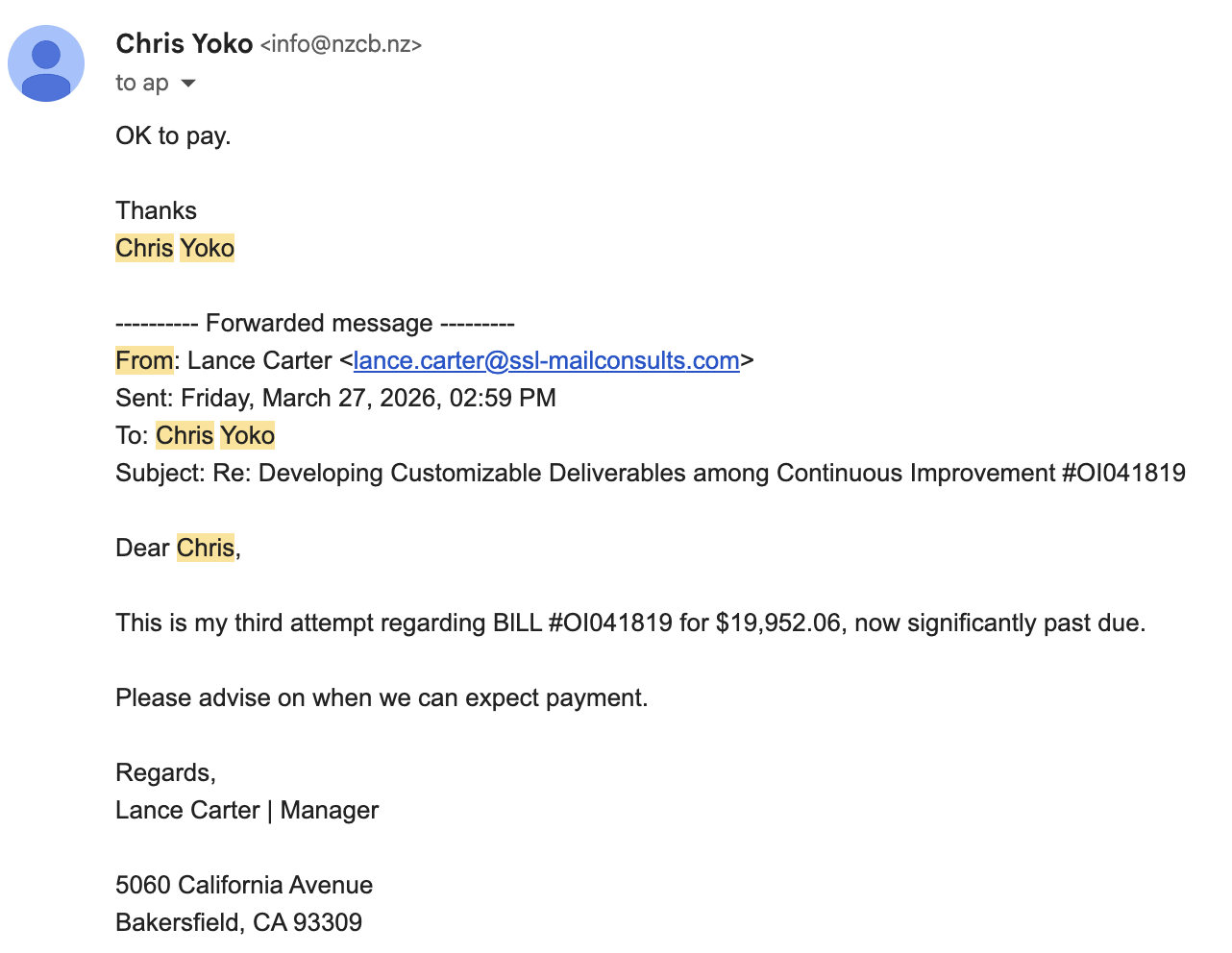
The more eagle-eyed of you will have noticed my email address is not, in fact, [email protected], but it is remarkable how, in the rush of day-to-day work, that is overlooked. Especially with the language saying it is overdue, making someone feel like maybe they missed something, and someone is upset with them.
The data back it up: according to Microsoft’s Digital Defense Report, click-through rates on these lures have jumped from around 12% on old-school phishing to 54% on AI-crafted versions. By some measures, AI-generated phishing has started outperforming professional human red teams. For a sense of scale, Microsoft alone flagged roughly 8.3 billion email-based phishing threats in just the first quarter of 2026. That number doesn’t even include AI enabling voice spoofing and video impersonation.
These attacks are used to get anything from direct payments and gift cards to sensitive info and system access. AI is making things even worse once someone gets into a system, as bad actors can hide and obfuscate payloads, distort logs, install secondary backdoors, and much more. This makes discovering them difficult, and removing them even more so.
An Ounce of Prevention
I’m not sharing this to ruin your morning – quite the opposite. I’ve shared three small fixes you can do now. Each takes about 5 minutes and, if you stick with me and do them now, you’ll be in a better place before your coffee even gets cold.
1. Lock Down Your Domain
One of the most effective AI attacks is spoofing. Instead of someone sending from an email like [email protected], they send an email that actually appears to have come from your organization. From your domain. Maybe, from you.
The defensive move here is pretty easy. A simple set of DNS records: SPF, DKIM, and DMARC. Together they tell the world’s inboxes “here’s who’s actually allowed to send mail from our domain,” and reject the imposters.
Bonus: If you haven’t done this already, it will also increase deliverability of your legitimate emails. As of late 2025, Google, Microsoft, and the other big providers stopped being polite about this. So, once updated and enabled, your renewal notices and newsletters are more likely to reach the inbox, too.
Not sure if you have these?
MX Toolbox has an easy online checker. If it’s missing, or set to “none,” you should address that. (If you need a hand, just reply.)
2. Ensure All Admins Have MFA
I know, I know – MFA is annoying. Annoying enough that I often have to apologize to those around me for the things I say when I am prompted.
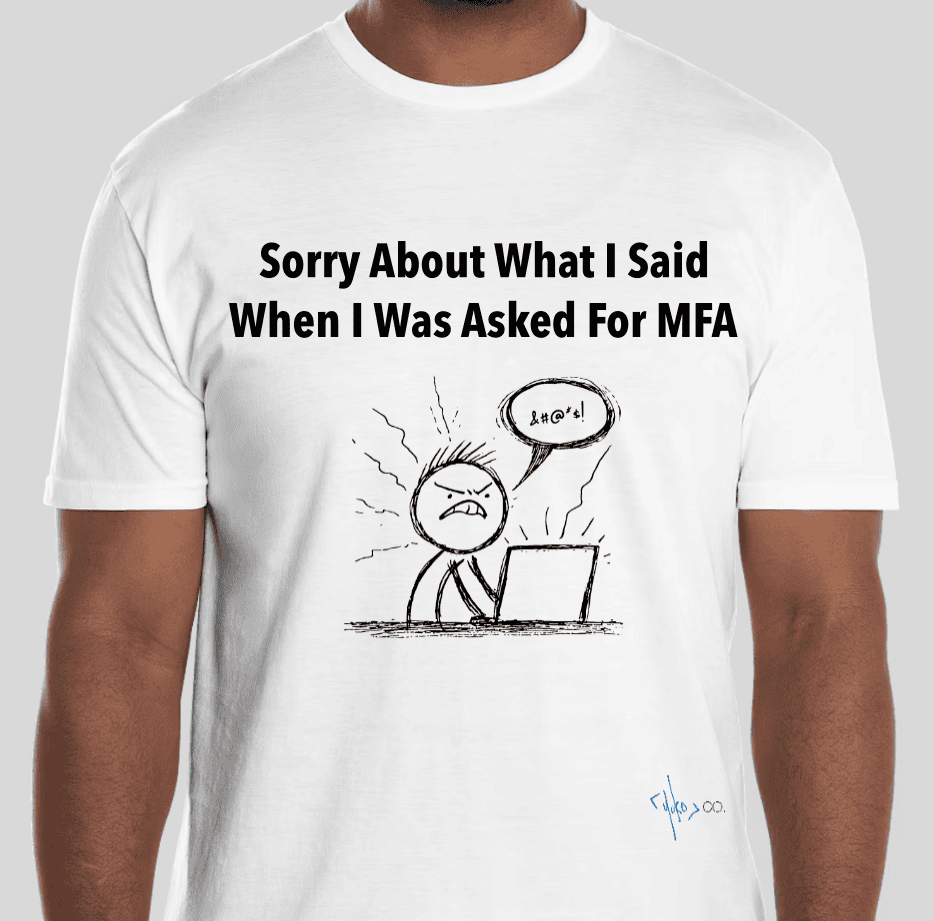
Let us know if you’re in the same camp and would like one of our new shirts 😁
However, if someone phishes an admin password for your CMS, server, hosting account, control panel, etc., Multi-Factor Authentication (MFA) is often the only thing standing between them and the keys to everything. We’ve shared our recommendations for some of the most common CMSes below.
- WordPress – WP 2FA
- Drupal – TFA
- Sitefinity – Requires you to add it at the SSO level
- Kentico – Create MFA policy and assign to admin users
While you’re at it, take a second look at that admin list. Do all those users require admin access? Are they all still with the organization? If you haven’t cleaned up your admin list in a while, do it now, and set a calendar reminder to do it regularly.
3. Restrict Access to Known Points
While MFA protects the login, you can also ensure only people on a network you trust can ever get there.
Most hosting platforms and CMSes let you restrict admin access (your WordPress dashboard, your hosting control panel, etc.) to specific IP addresses or networks. If your team works from an office with a fixed IP, or connects through a company VPN, you can lock those sensitive areas so they simply don’t respond to anyone else – even if they have stolen a valid username and password. An attacker outside of this list of known networks never even gets to attempt to log in.
This one is more nuanced than the others, and also the most restrictive, so handle it with care. We’ve shared three approaches of how you can do this in WordPress below:
- Use .htaccess (Apache) or the configuration file (Nginx) to set white/allow lists.
-
- If you have questions about how to do this, feel free to ask us, or your favorite LLM
- If you have questions about how to do this, feel free to ask us, or your favorite LLM
- Use Cloudflare (or, possibly, your Hosting Provider)
-
- Cloudflare enables Firewall Rules, where you can set rules using the Path (contains “wp-login.php”) and the Action “Block” if IP = unknown
- Fastly, Akamai, AWS CloudFront, and others have similar functionality you can configure
- Sucuri also offers a CDN alternative with this capability
- Some hosting platforms also offer these capabilities;
- Cloudflare enables Firewall Rules, where you can set rules using the Path (contains “wp-login.php”) and the Action “Block” if IP = unknown
- Use a Security Plugin – These plugins enable you to set the allow/block lists for IP addresses that are/n’t able to access certain WordPress functions.
If you’re not comfortable tinkering with these settings, just share this with someone who is. What you don’t want to do is accidentally lock a bunch of users out of your site, or needlessly create a catastrophe. This requires more nuance if your team is remote or working on various networks. In those cases, you may consider routing access through something like Cloudflare’s Zero Trust tools, which gate those areas by verified identity instead of location. They require more cost and a bit more setup, but the same idea, and worth putting on your list.
We hope this helps!
Mahalo,
Chris & the Yoko Co team
PS – A 1-minute takeaway: set a codeword or phrase up with the people on your team who can request or approve meaningful activities. Don’t store it online or type it into Teams or Slack. It can’t be spoofed, and could save you a costly assumption. (I know it sounds silly, but trust me, you’ll thank me in a year or so.)
—
What’s Good?
The latest impact stories from the worlds of our clients.
- Very cool news from our friends at HRS, with a discovery that ultra low temp ablation is highly effective for Ventricular Tachycardia! (IYKYK)
- Big congrats to our pals at Inova for being ranked as the #3 Top Health System in the entire nation!
- Quiz Time – what is the most recycled material in the US? Did you guess Asphalt? Pretty cool news from our friends at NAPA!
(We love good news, so if you have some, please contact us and use the form to share it with me!)
Latest Posts

Your website’s biggest audience isn’t people anymore
tl;dr: It was only a matter of time – machines are now visiting websites…

Your Association’s Website Has Three Jobs in 2026. Most Are Doing One and a Half.
My TikTok feed recently served up a video about well paying, in-demand careers that…
Do Less
Do Less. AI enables us all to do “more” – that’s the problem. You…
Keep Reading about Do Less